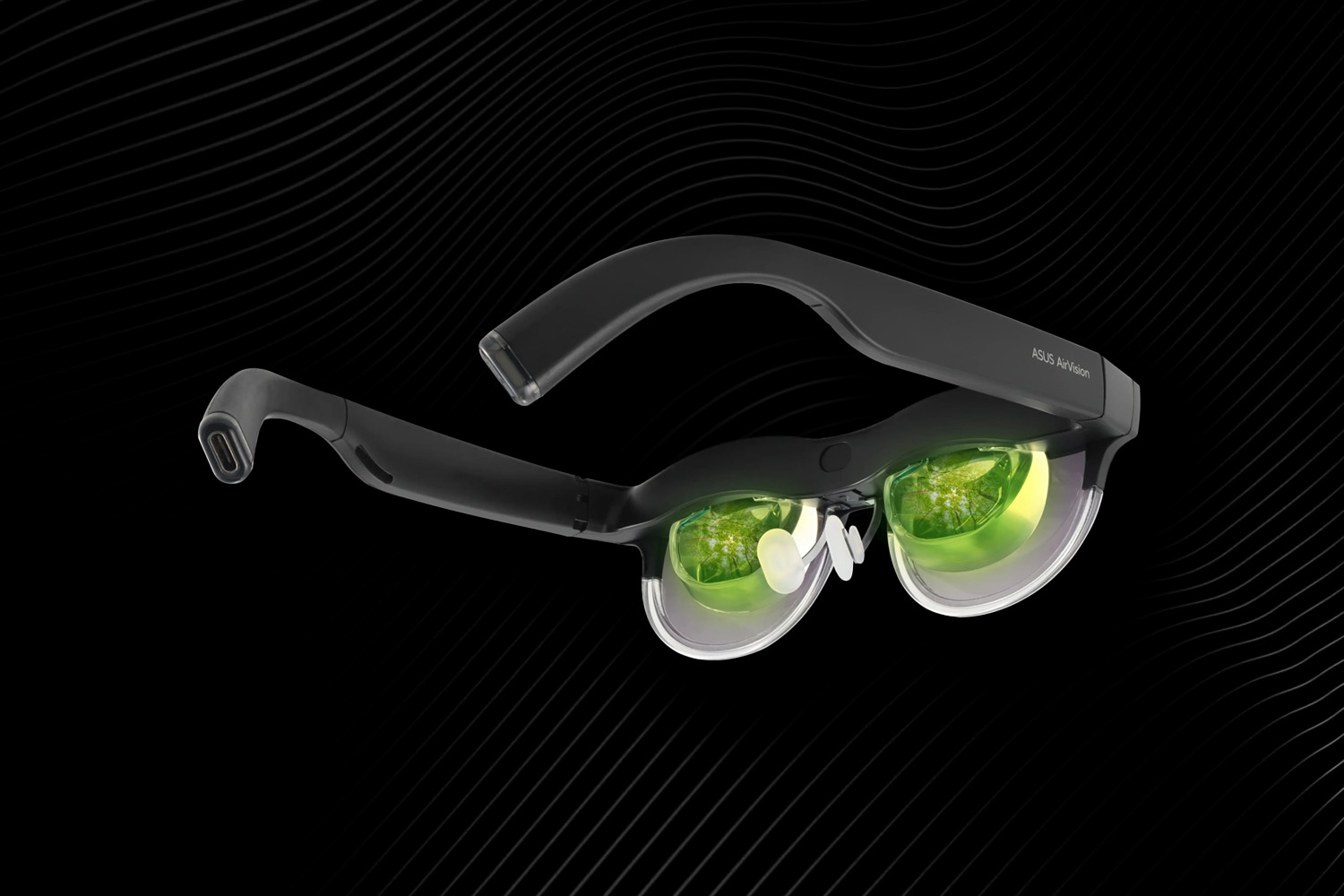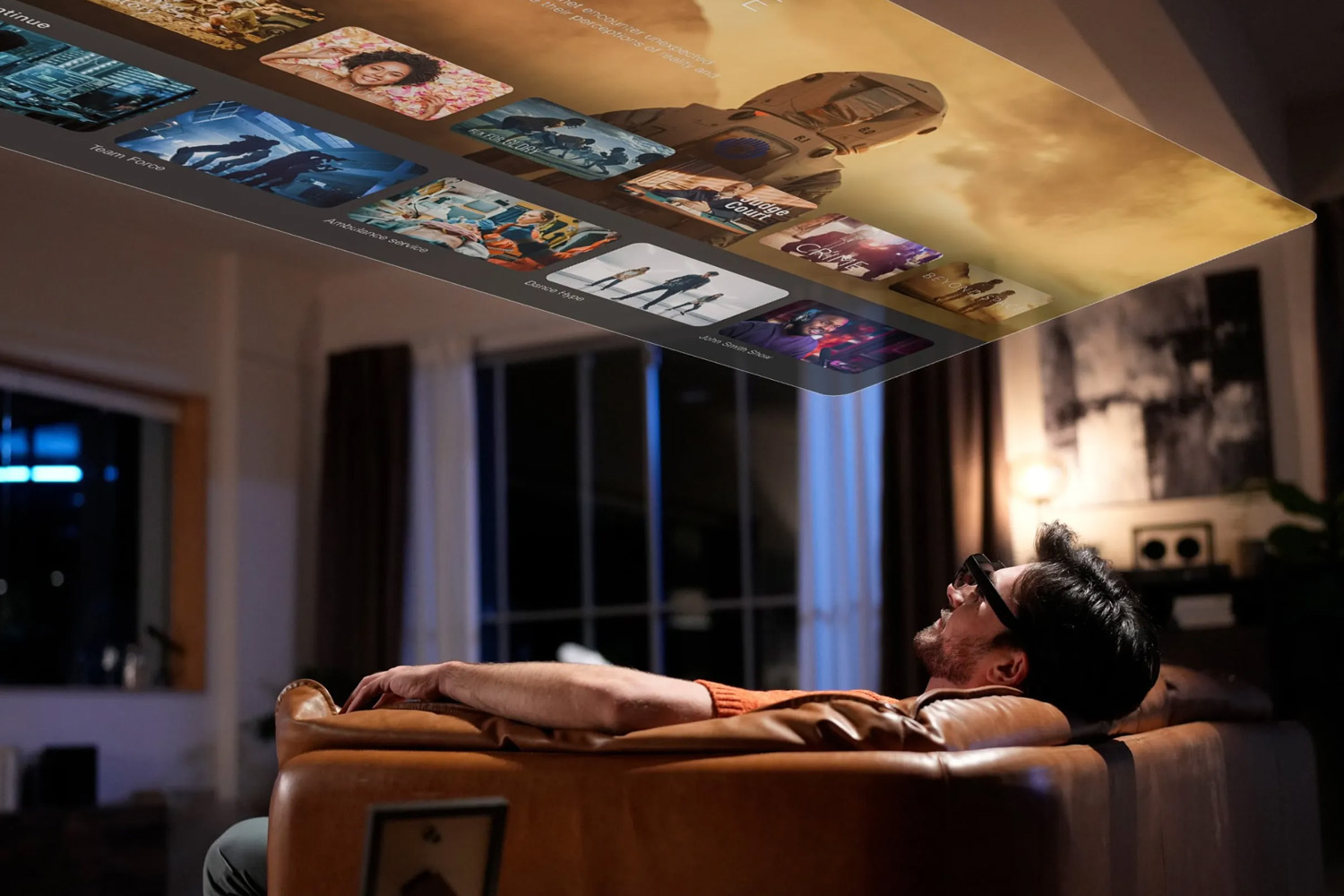
The ASUS AirVision M1 is a pocketable micro-OLED wearable that aims to give users a private, large virtual screen for gaming and productivity. It’s a strong value if you want a high-brightness, mobile display for a laptop or handheld gaming PC — but it also has some practical and ergonomic tradeoffs. In 2025 the AirVision competes with several classes of devices: compact consumer AR glasses (Xreal, Ray-Ban Meta), premium spatial computers (Apple Vision Pro, Magic Leap 2), and enterprise headsets (Vuzix, Lenovo ThinkReality).
What the Asus AirVision M1 is — at a glance
- Core idea: a wearable private display that creates a “100-inch” virtual screen using micro-OLED panels and a see-through frame or magnetic shade. Intended for on-the-go media, private productivity and pairing with devices (PCs, ROG Ally, Steam Deck, phones).
- Key specs: ~1920×1080 per eye micro-OLED, ~1,100 nits peak brightness, ~72 Hz refresh, ~38° FOV (manufacturer specs vary by region). USB-C connectivity and built-in speakers; TUV eye-safety certification noted by ASUS.
- Price point (retail context, 2025): often listed around US$599–699 at launch/retailers — positioned below high-end spatial computers but above bare-bones “video-glass” competitors.
Practical uses — where AirVision (and similar private-display AR glasses) shine
- Portable big-screen media: Watch movies or a large virtual monitor while traveling without blocking the real world. Perfect for flights or hotel rooms.
- Mobile productivity: Use a virtual multi-window desktop when paired with a laptop or handheld PC to increase screen real-estate while commuting or in cafés.
- Handheld gaming & streaming: Works well with handheld gaming devices (ROG Ally/Steam Deck) to simulate a cinematic screen without lugging a monitor.
- Private viewing / demo tool: Useful for designers, reviewers or field technicians who need a private display for demos or diagnostics.
Pros & Cons — ASUS AirVision M1
Pros
- High brightness & color: Strong micro-OLED panel (~1,100 nits, ~95% DCI-P3) gives vivid imagery and good HDR potential.
- Portable private screen: Lightweight alternative to carrying an external monitor for certain uses.
- Broad compatibility: Works with PCs, phones and handheld consoles via USB-C.
- Relatively affordable vs spatial PCs: Far cheaper than Apple Vision Pro-class devices while offering a usable large virtual display.
Cons
- Ergonomics & comfort: Several hands-on reviews flagged build-quality and fit issues — plastic feel and potential slippage for long sessions. Tom’s Hardware and other reviewers noted fatigue and focus issues for extended reading.
- Optical limitations: 72 Hz refresh and a modest FOV mean less immersive AR effects than premium AR headsets; some users report out-of-focus zones and text-reading fatigue.
- Not a full spatial AR computer: Lacks advanced passthrough spatial computing, hand-tracking, or deep app ecosystems found on Vision Pro or Magic Leap. If you need true mixed-reality overlays anchored to the world, look elsewhere.
How AirVision compares with leading alternatives (2025)
Xreal One Pro / Xreal (consumer AR)
- What they do best: Lightweight, smartphone-centric AR with surprisingly sharp displays for media and simple AR overlays; highly portable and more comfortable for all-day wear. Great for streaming and movie watching.
- AirVision vs Xreal: AirVision targets a slightly different niche — higher brightness and more “private monitor” use with PC/handheld gaming; Xreal focuses on ultra-light comfort and tethered smartphone use.
Ray-Ban Meta / Ray-Ban Meta Gen2 (AI smart glasses)
- What they do best: Everyday wearable look, social features, cameras and AI assistants (image + voice interactions). Designed for social, utility and hands-free micro-tasks.
- AirVision vs Ray-Ban Meta: Ray-Ban Meta is about being always-on and socially acceptable; AirVision is about temporary immersion and large-screen viewing. Different use cases entirely.
Magic Leap 2 / Apple Vision Pro / HoloLens family (premium spatial computers)
- What they do best: World-anchored spatial computing, enterprise AR workflows, advanced tracking and software ecosystems for industrial and creative work. Apple Vision Pro adds consumer-grade spatial UI and powerful hardware but at very high price.
- AirVision vs Spatial PCs: AirVision is not a replacement for these. If you need true mixed-reality apps, 3D object anchoring or collaborative spatial workflows, choose a Vision Pro/Magic Leap/HoloLens class device. AirVision is a private display, not a spatial OS.
Enterprise heads: Vuzix Blade 2 / Lenovo ThinkReality A3
- What they do best: Lightweight enterprise AR for workflows, heads-up data, remote assistance and warehouse use. Built for durability, hands-free business tasks.
- AirVision vs Enterprise: AirVision is consumer/prosumer focused. For industrial use you’ll want certified enterprise hardware with better integration, ruggedness and support.
Who should buy the AirVision M1?
- Gamers with handheld PCs who want a big private screen on the go.
- Frequent travelers who value private movie screens without disturbing others.
- Content creators or reviewers who need a quick private display for demos and on-site checks.
Who should look elsewhere?
- Anyone wanting full AR spatial computing (world-anchored overlays, shared AR apps) should prefer Vision Pro, Magic Leap 2 or HoloLens.
- Users sensitive to fit & optical fatigue — try lighter Xreal variants or Ray-Ban Meta for shorter, everyday uses.
Final verdict
The ASUS AirVision M1 is a compelling private-display option in 2025: solid micro-OLED visuals and a relatively reasonable price make it a strong choice for media and portable productivity. However, it’s not a one-device-fits-all solution — ergonomic issues, optical tradeoffs and the lack of full spatial-AR features mean buyers should match the device to their primary use case. For pure immersion or AR productivity, look to premium spatial computers; for all-day wear and social features, choose lightweight AI glasses.