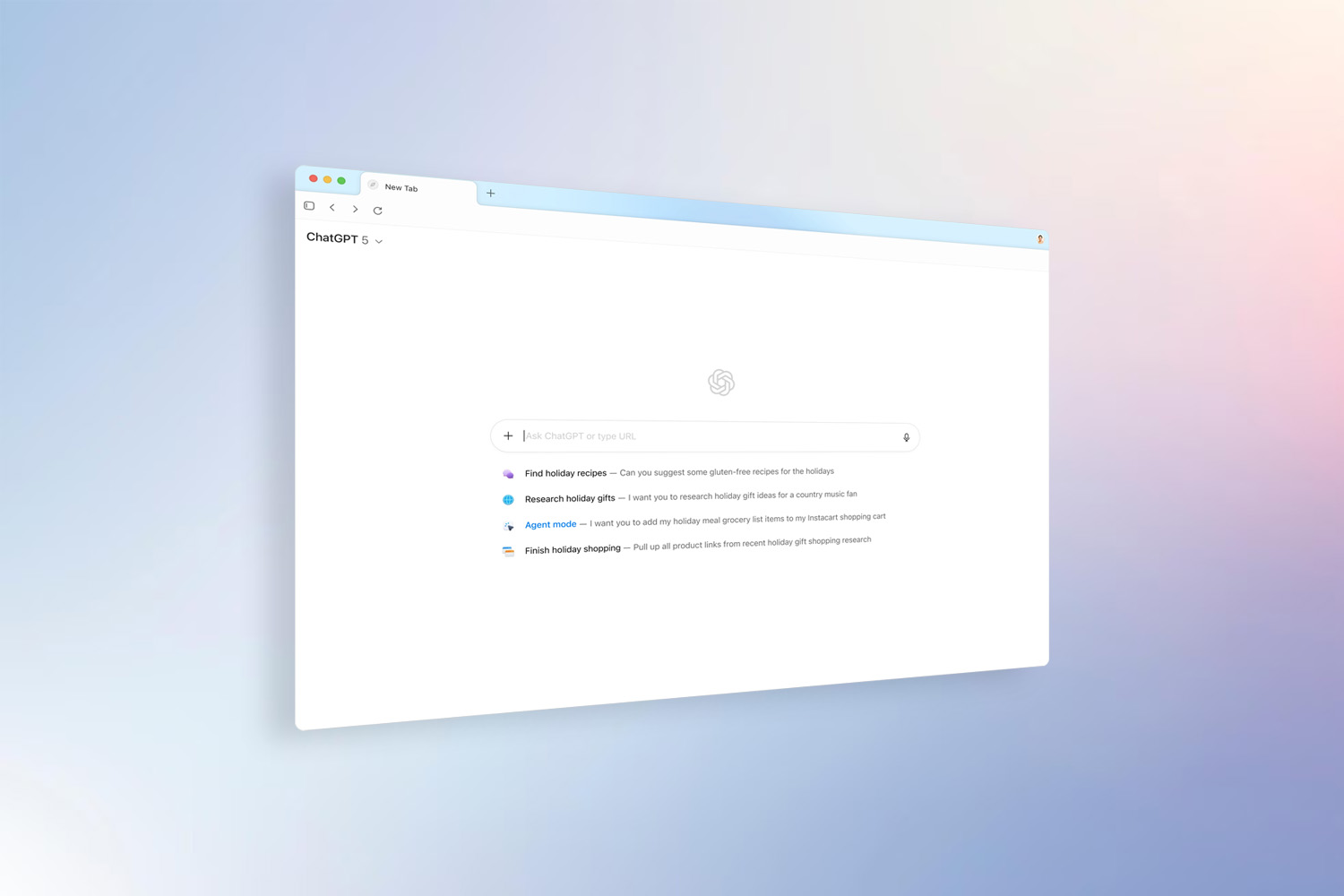
The newly launched ChatGPT Atlas browser from OpenAI marks a bold step in web browsing, embedding its AI assistant – ChatGPT – at the heart of the experience rather than bolting it on. For users wondering whether it’s time to switch from Google Chrome, here’s a clear review: its standout features, its strengths and limitations, and how it stacks up against the incumbent browser leader.
Key features of ChatGPT Atlas
- ChatGPT sidebar in every tab – Atlas allows you to invoke ChatGPT right alongside any web page you’re on, enabling questions, summaries, analysis and rewriting without switching applications.
- Context-aware AI assistant – The browser can understand your current webpage, open tabs and logged-in status (with permission) so ChatGPT’s responses can draw on what you’re doing.
- Built-in “browser memories” – When enabled, Atlas can remember relevant details from your browsing (sites visited, tasks started, bookmarks) and later re-surface them for you. You remain in control-view, archive or delete these memories at any time.
- Agent Mode (preview for paid tiers) – This advanced feature allows ChatGPT to perform multi-step tasks inside the browser: open tabs, gather data, compare websites, draft results, even perform some interactive workflows.
- In-line writing and editing assistance – On supported web forms, documents or email, you can highlight text and ask ChatGPT (within Atlas) to rewrite, refine or improve it – avoiding copy-paste friction.
- Privacy and control features – Atlas offers toggles to control what ChatGPT can “see” (per-site toggles), ability to clear memories, incognito mode, and by default does not use your browsing content to train OpenAI models.
- Browser import from other browsers – At setup you can import bookmarks, saved passwords and browsing history from your existing browser, making the transition smoother.
How it compares with Google Chrome
Architecture & platform support
- Chrome is a mature, cross-platform browser (Windows, macOS, Linux, Android, iOS) with decades of support, massive extension ecosystem and stable syncing of bookmarks, history and settings.
- Atlas is built on the Chromium engine (Blink) and is currently macOS only at launch, with Windows, iOS and Android support coming later.
AI/assistant integration
- Chrome has started to embed AI features, such as the Google Gemini-powered “sparkle” icon in some regions which allows conversational queries, summarisation or multi-tab support.
- Atlas goes further: the AI assistant is central, not an add-on. ChatGPT is baked into tabs, memory, tasks and the whole workflow.
Workflow & productivity features
- Chrome offers vast compatibility, extensions, performance and familiarity. It is strong at general browsing, multi-account setups, developer tools and stability.
- Atlas shines for “AI-heavy” workflows: research, writing, multitask tab projects, automation via agent mode. Many reviews say if you regularly do tasks beyond simple page viewing, Atlas can add meaningful value.
Privacy and data use
- Chrome’s privacy settings are extensive, but many features (syncing, Google account integration) lean into a larger Google ecosystem.
- Atlas emphasises user control: memories are optional, per-site toggles, no default use of browsing data for training models, strong transparency.
Strengths & limitations
Strengths
- AI assistant deeply integrated, reducing context-switching and manual tasks.
- Memory and context features make the browser behave more like a co-pilot.
- Good for users who spend time researching, drafting, comparing or automating sets of web tasks.
- Early adopter advantage: novel workflow, rethinking what a browser can do.
Limitations
- Platform support is currently limited (macOS only).
- Agent mode, the most advanced automation, is in preview and restricted to paid tiers.
- Compatibility issues may arise with certain extensions or workflows still firmly built around Chrome.
- As with any AI system, accuracy of summaries, suggestions or agent tasks may vary – supervision remains necessary.
Verdict
If your browsing is mostly “open page, read article, go to next tab”, Chrome remains a robust, familiar choice. But if you’re someone who juggles multiple tabs, writing tasks, research, automatons, and want the browser to help you rather than just display content, ChatGPT Atlas is an exciting shift. It’s less “just a browser” and more “browser + assistant”.
For now, many users might benefit from a dual-approach: keep Chrome for compatibility and general use, and use Atlas when you need AI-driven support and productivity boost.
As Atlas matures (with Windows, mobile release, more agent features, extension support), it could well redefine mainstream browser expectations. For tech-savvy users and productivity power-users, it’s worth watching – and trying.